2021 – 2023 · Wienerberger
WLTR
The operator interface for one of the world's first autonomous bricklaying robots, designed from scratch for a safety-critical construction site.
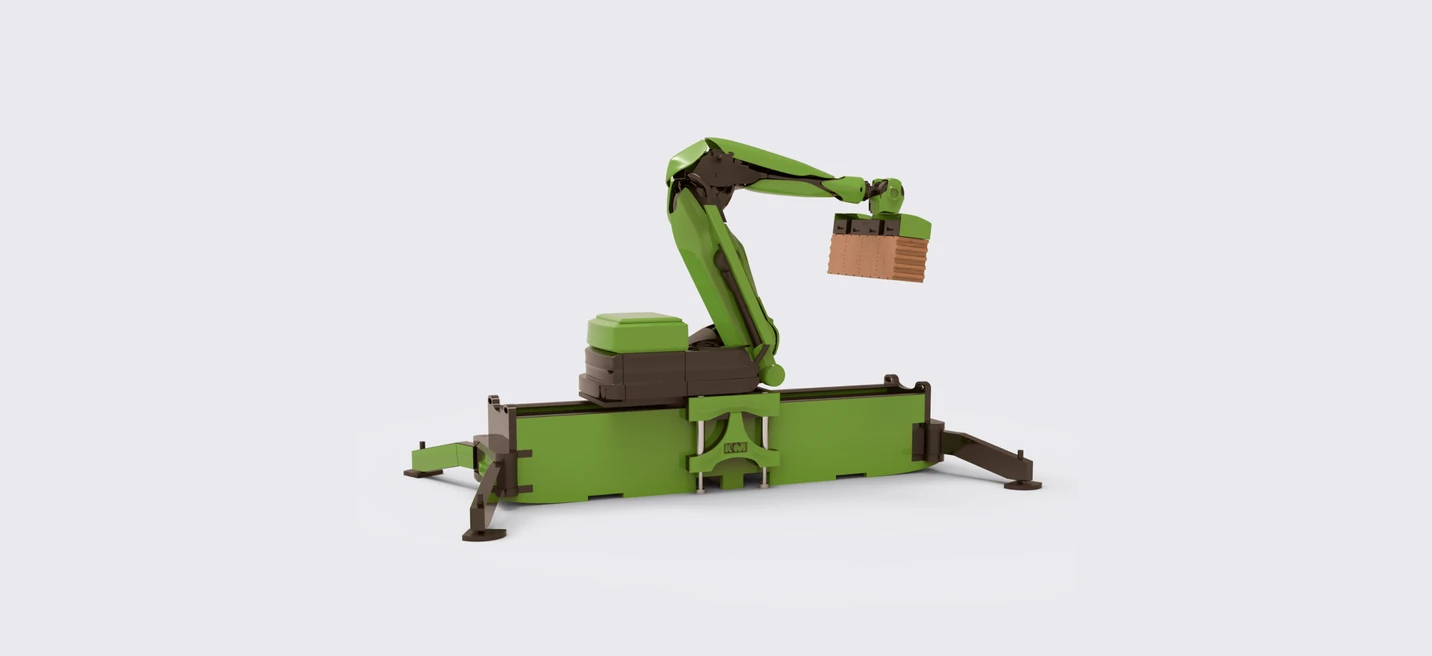
My role
I oversaw the full delivery of the user interface for this bricklaying robot. I developed the initial concepts for the ideal operator flow, making sure every critical state during operation was handled.
I designed the first UI screens for the most common cases, organized the initial user research, ran on-site visits to test early control prototypes, and owned the continuous testing and design iteration. In the later stages, I gave feedback on the work of the UX and UI designers and the developers.
The challenge
The biggest challenge was that nothing like this really existed yet, so everyone was building something new together. There was no competitor to study, no example of what a standard interface between a robot and a human should look like here.
Another was the range of conditions. On a real site there can be dust, noise, poor light, freezing cold, or an operator wearing gloves.
And construction and robotics are heavily regulated by safety protocols that protect people and property. Those rules often forced us to change the ideal interface and the processes behind it.
The solution
We focused on the real needs and limits of the construction workers who operate the robot or work near it. The interface changed constantly based on feedback from users and from developers, who sent live data through the API about what the robot was doing.
The designs also accounted for the practical side: how the robot is transported to site, how it moves around, its maintenance, possible faults, and the safety-critical situations that can arise around it. We wanted to deliver a complete solution, not just screens.
Human health and life always take precedence over property, or over the robot itself.
The process
Initial meeting with the client
As always, I started by listening and noting every initial wish and requirement. It was clear the client would handle the backend and API, and needed help with the full design and development of the interface between the robot and the operator.
I also asked the questions my work depends on: what device the interface would run on, whether we could talk to real users, whether we could test and iterate on prototypes, the deadline, whether a specific frontend framework would constrain the UI, and what data or metrics we would track.
Understanding the problem in depth
The early conversations gave us the client's perspective and goals, but we still had to map the rest. The client walked us through construction-site safety, something we had never dealt with as digital designers.
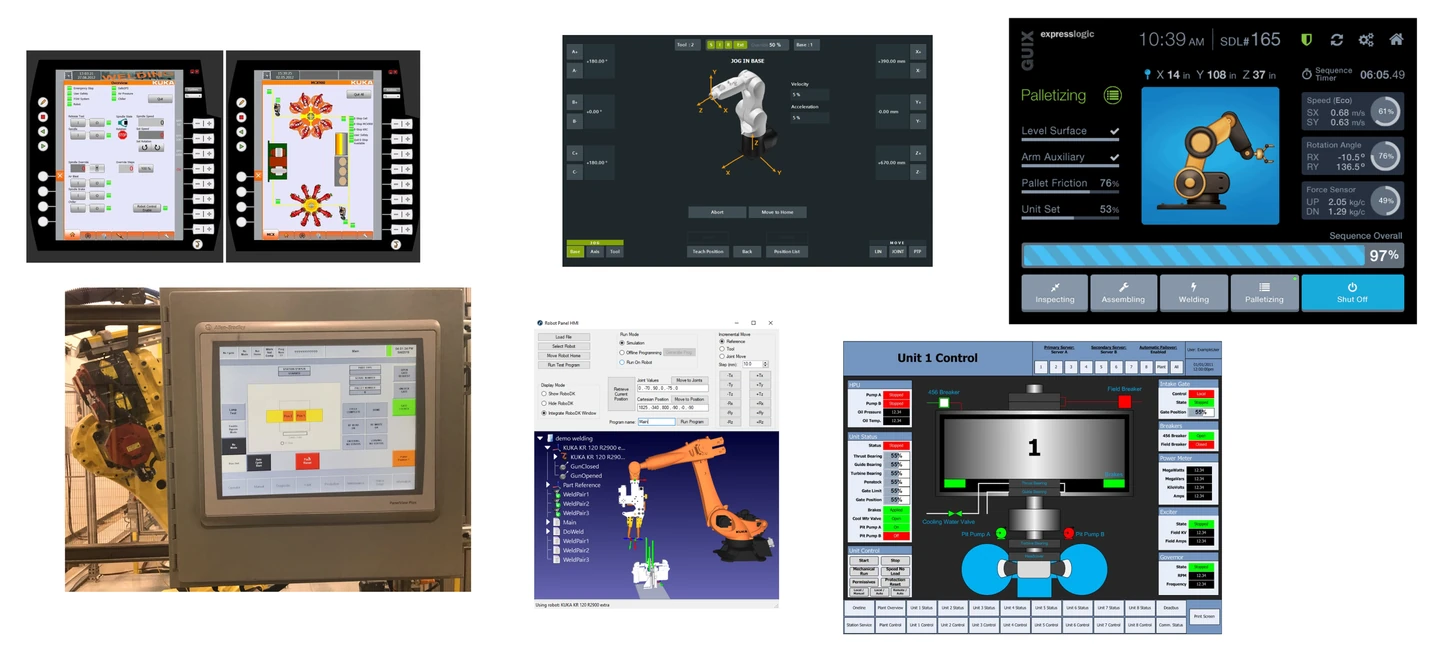
We also did desk research on the industrial interfaces already on the market, worked out how to handle authorization so only certain people can operate the robot, how onboarding and training should work for safety, and what critical situations could arise on a real site. They also introduced us to the Zebra device the whole control system would run on.
Understanding the physical side of the project
For designers used to purely on-screen interfaces in a browser, it is a real shift to focus on the physical world the product lives in. I first had to map the interactions between people and machines in the physical space to design the digital processes and screens well.
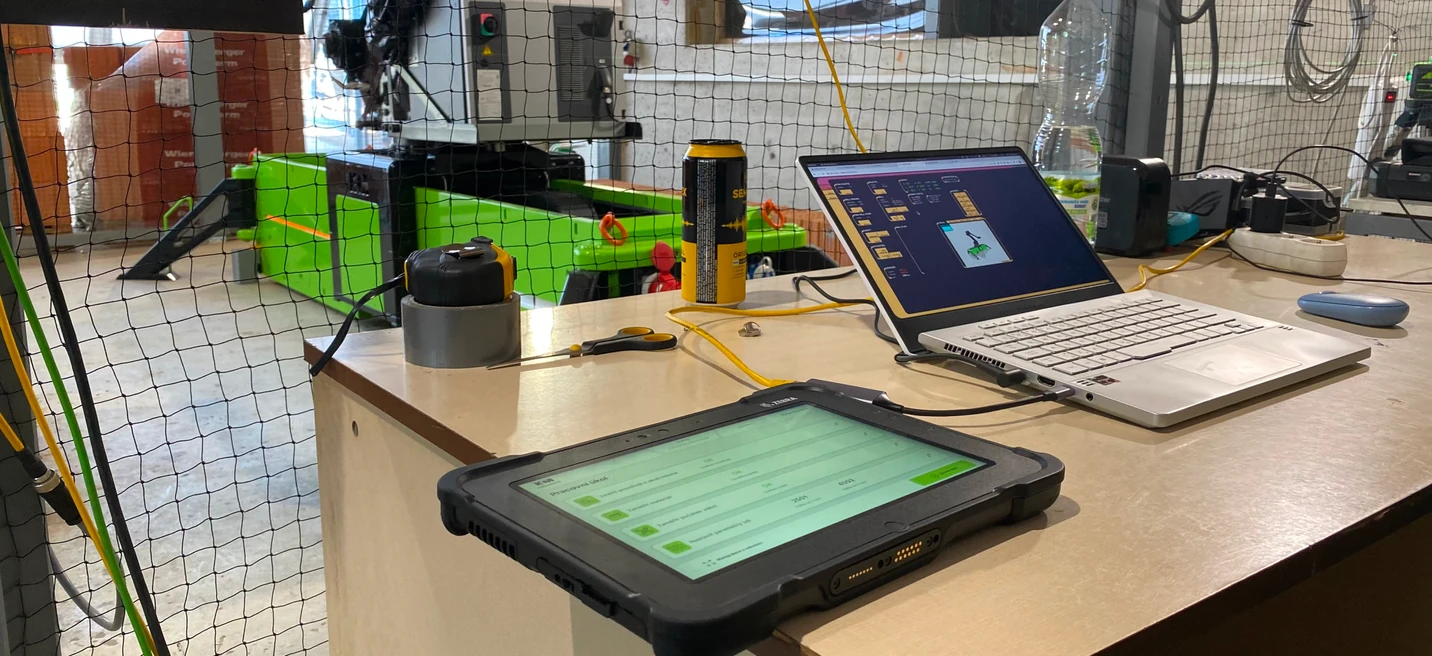
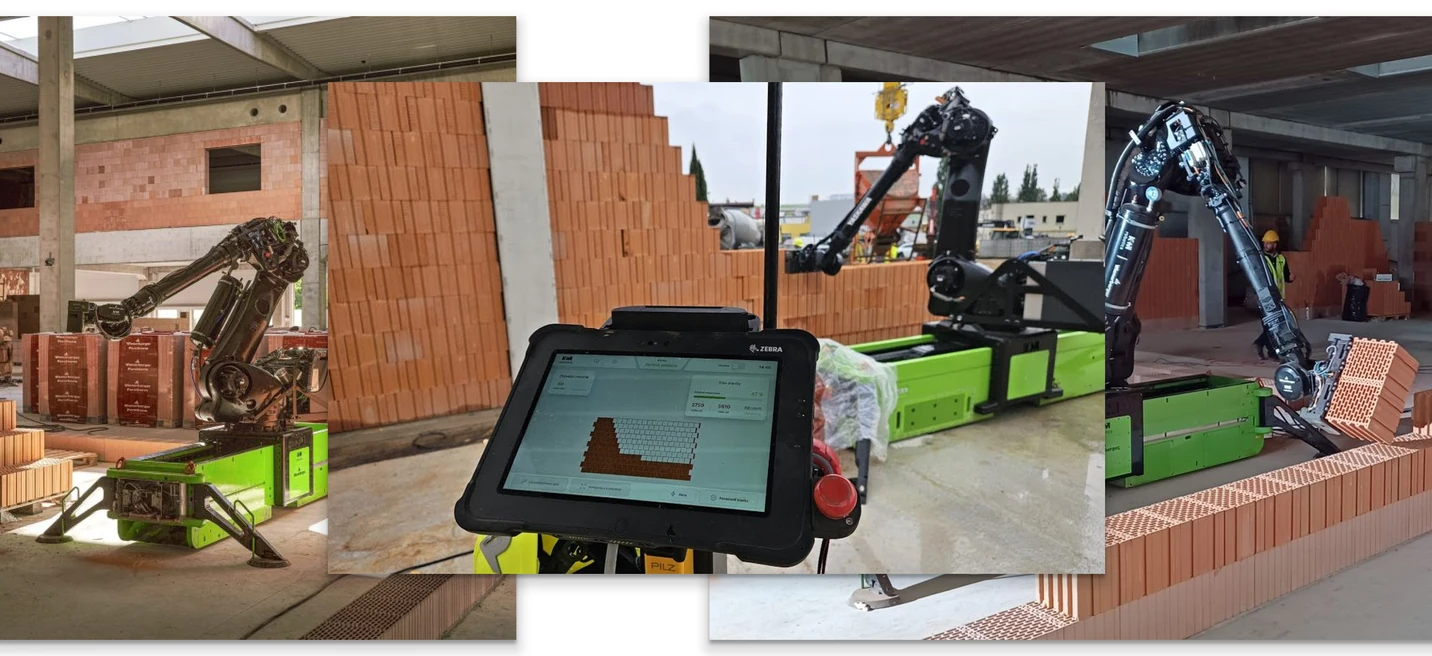
With the client, we went deep on how the control tablet should work in both worlds. It has many control buttons and several safety switches, including an authorization USB key the user must operate to do anything. The robot and the site around it are wired with dozens of sensors, switches, and cables that all have to work during construction, and the operator must always know their status.
The robot moves around the site, so the operator needs to know minutes in advance what will happen, where the arm will move, and the current phase of the build. They also need to handle emergency stops and restarts easily, along with routine maintenance and moving the robot to other sites.
Flows and processes
Once we had the initial information, we began designing the ideal structure for every process the operator controls through the tablet on site.
Because the robot was not yet fully working and was still in rapid development, and there were no similar projects to learn from, we designed all the flows around a few firm criteria.
- Simple to operate for ordinary users, with no need for long, complex training.
- Maximum operational safety, where human health and life always come before property or the robot itself.
- Coverage of every realistic scenario, while meeting all building regulations and standards for working with robotic equipment.
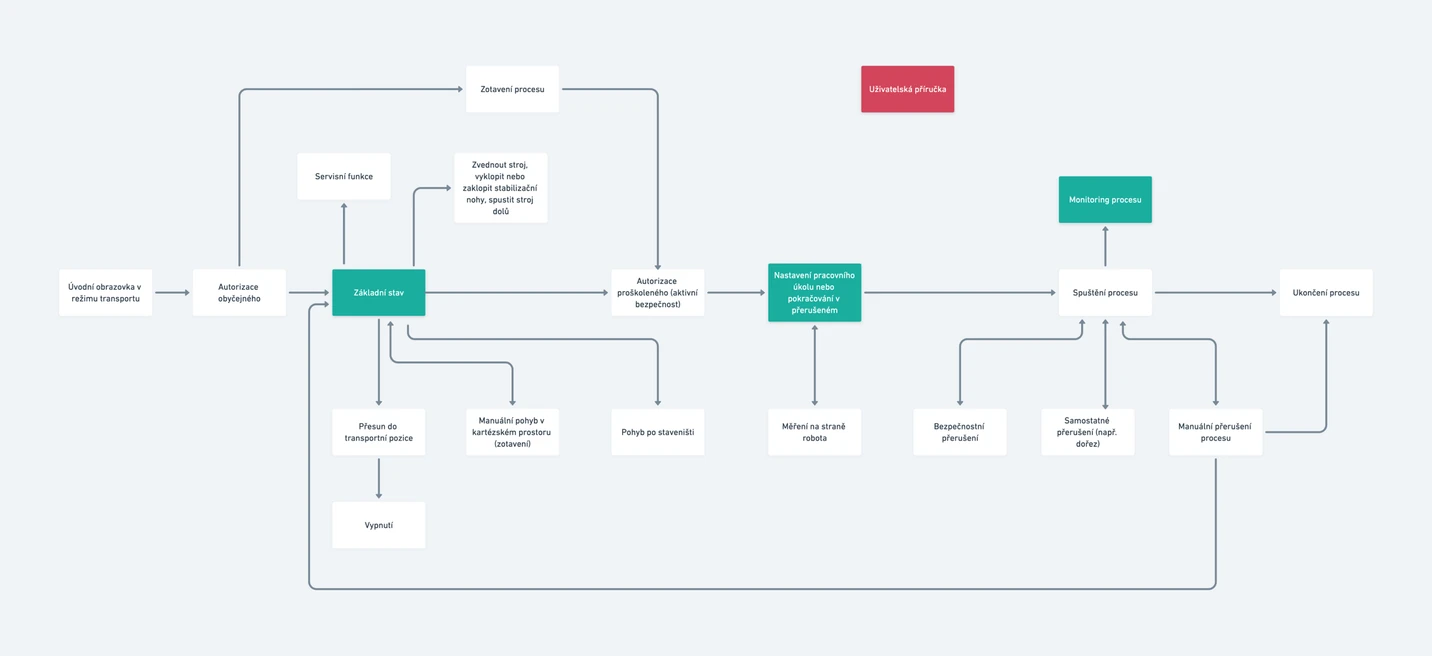
Functions mapping and GUI concepts
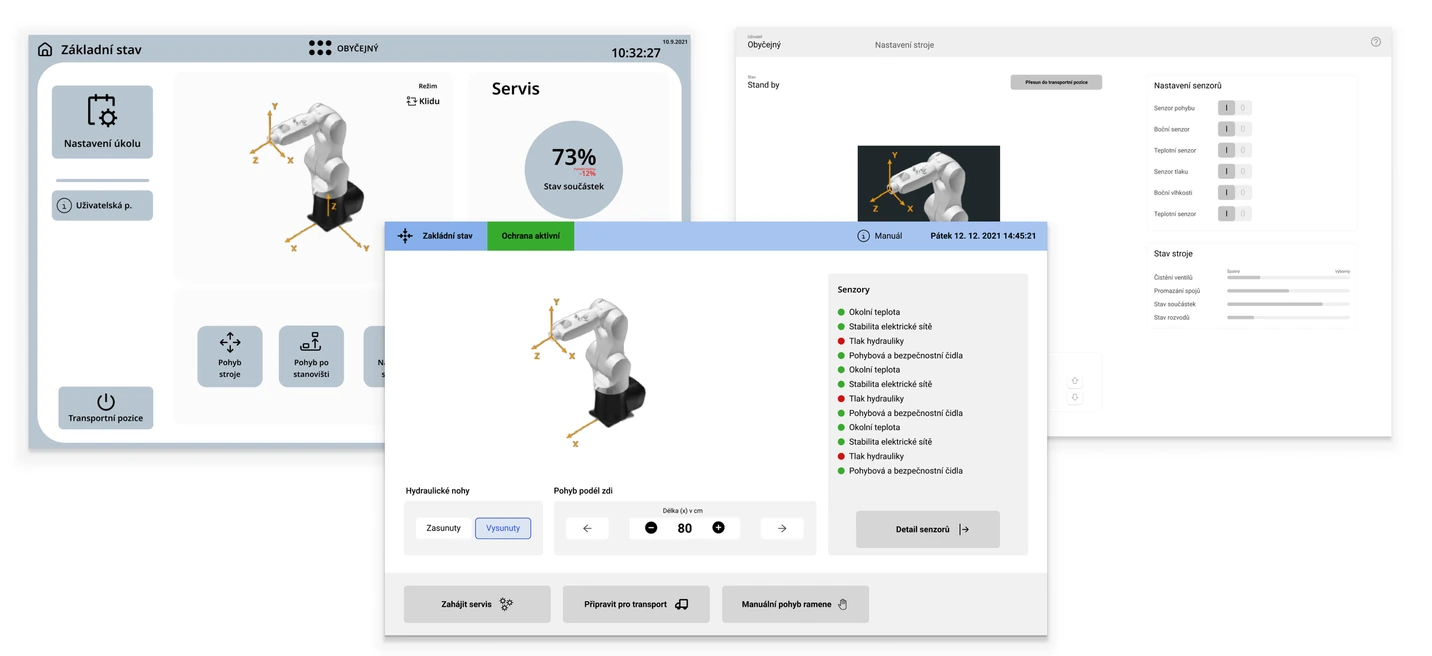
Two other designers and I each prepared several versions of the interface in a joint workshop. Comparing them surfaced ideas and hidden potential a single designer might have missed.
We already knew what the interface had to do and how the background processes worked. The remaining problem was simplifying all of it into something easy to use, striking the balance between having every essential piece of information at hand and not overwhelming the operator with data.
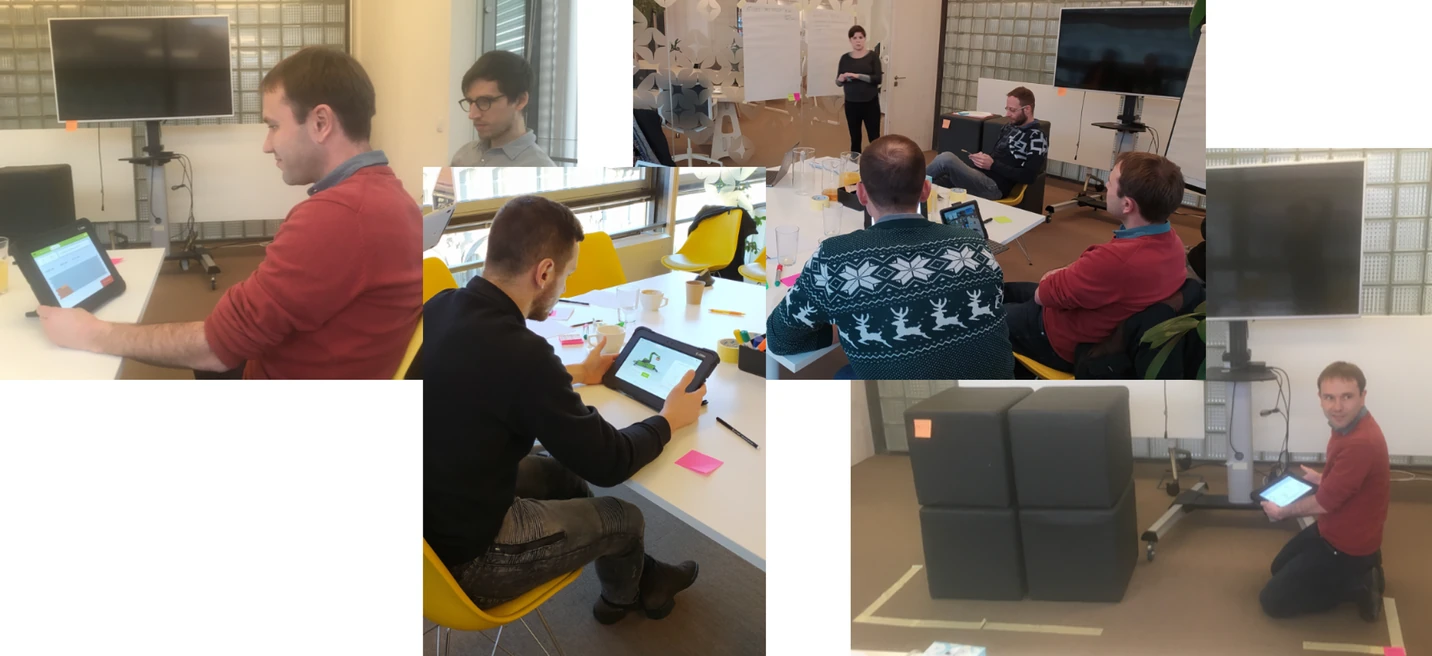
User testing
Because this was a new kind of solution that kept evolving, our ability to do early user research was limited. So I put the emphasis on testing the first working interface concepts in a simulated construction environment.
The first sessions, with the client and people from the construction industry who would actually use the robot, ran in our office with props that simulated a real site. I prepared the test scenarios and then drew the critical findings into the next round of iteration.
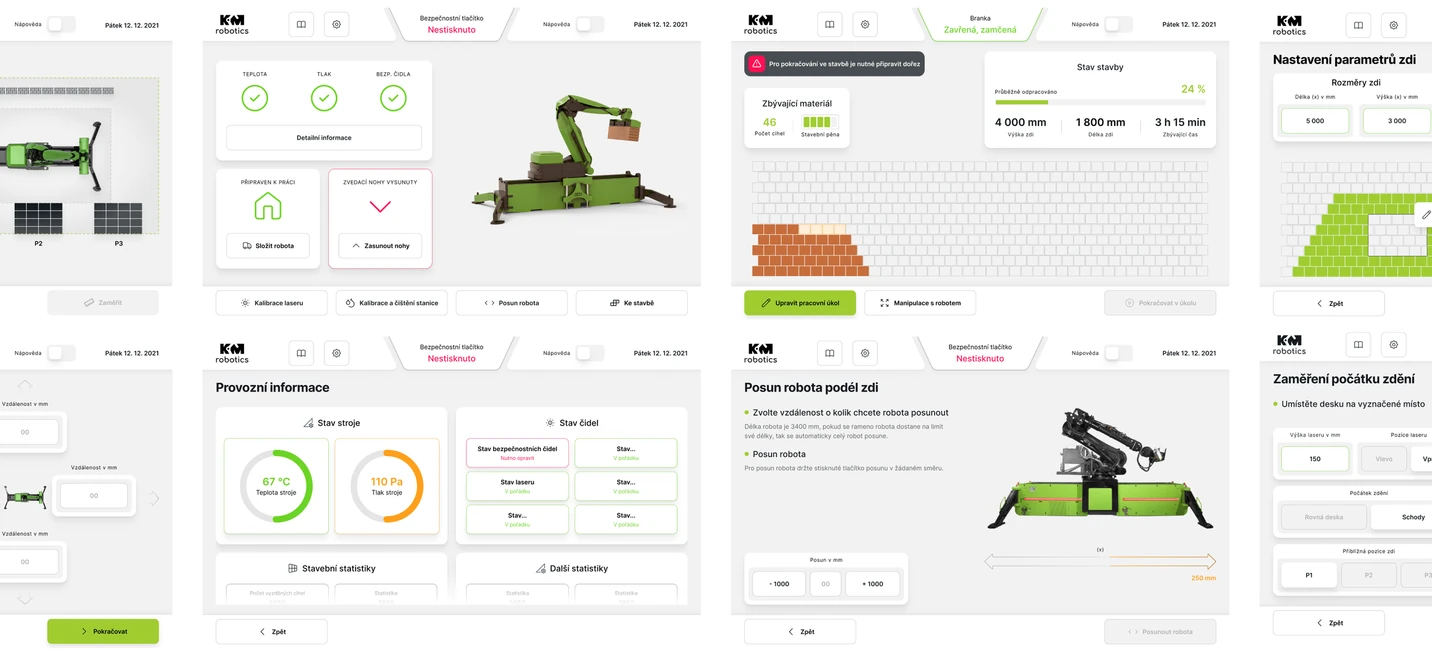
Final UI
Based on internal and user tests, we gradually finalized the visual design of the application.
We kept in mind that it had to stay clear and usable in hard conditions: poor light, sun glare, frost, dust. We accounted for touch controls, needed for things like rotating the robot's 3D view in service mode. And each screen was validated with developers so every piece of data and function was interpreted correctly in the control code.
The value of client collaboration
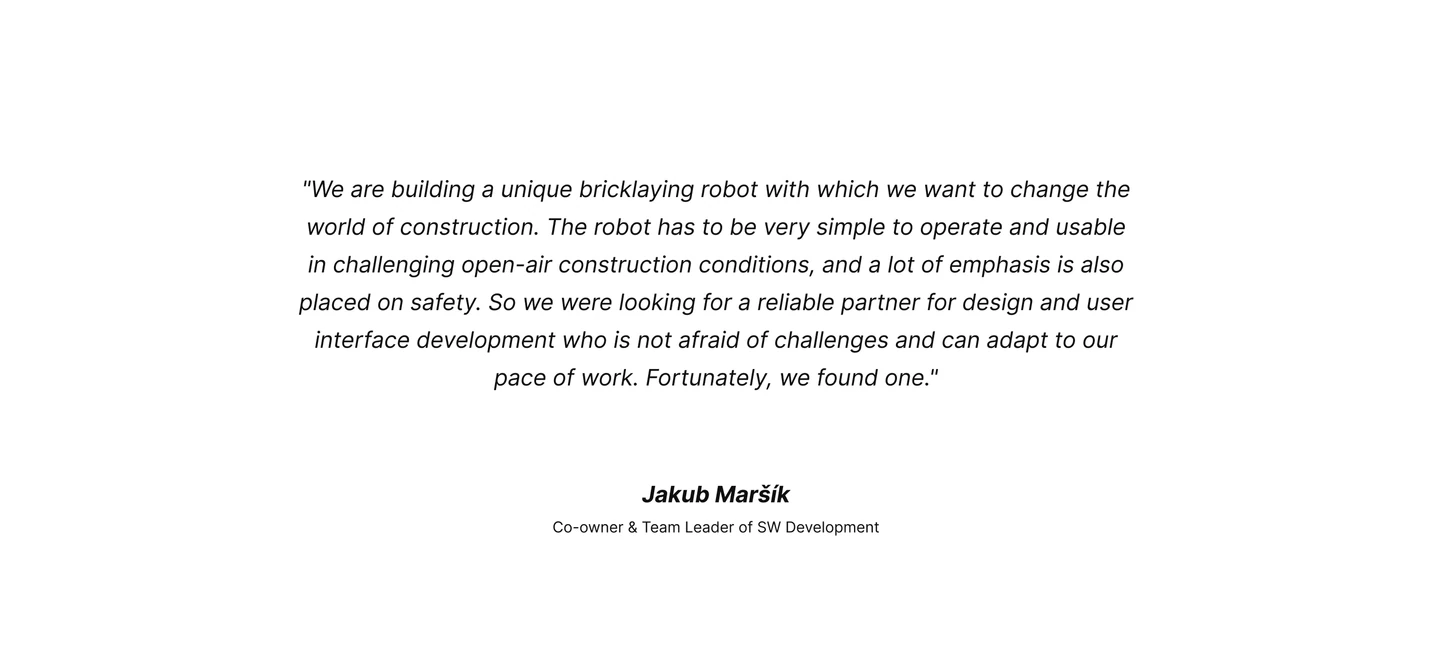
It is worth highlighting how much the collaboration with the client mattered. On this project, without their technical expertise, our work would have had far less impact. Their knowledge of robotics and construction was a deep resource for us.
The client's energy and commitment also kept the whole team motivated. That collaboration let us deliver strong work in unfamiliar territory in a short time, which the client valued.
Further development
The project has been run in a highly agile way throughout, and still is. Everything is now being fine-tuned based on the robot's first real use on construction sites, which lets us collect feedback and improve both the processes and the interface.
We are also starting to add features that were left out over the past months, when all the effort went into launching a minimal but fully functional and useful configuration.
The conclusion
For me, this has been one of the most interesting projects I have worked on in nearly twenty years. I learned a lot, including in fields I knew nothing about, and developed a real interest in digital products that have a physical impact.
I believe my work helped the project succeed. It is now getting real attention from both the public and industry experts, and stands as a genuine step forward for the construction industry.
Have a complex product to move forward?
If you are working through something tangled or unclear, that is exactly the kind of work I want to be in.
Get in touch